The World
The world of Turf Battles is quite large, learn how to navigate around it!
The world of Turf Battles has many different areas, each with its own valuable and essential resources. The biggest of these areas/maps are:
- Ladianes - Home of the Humans
- Veros - Home of the Nephilim
- East Ladianes - A new and mysterious land that has yet to be fully discovered.
The World Map
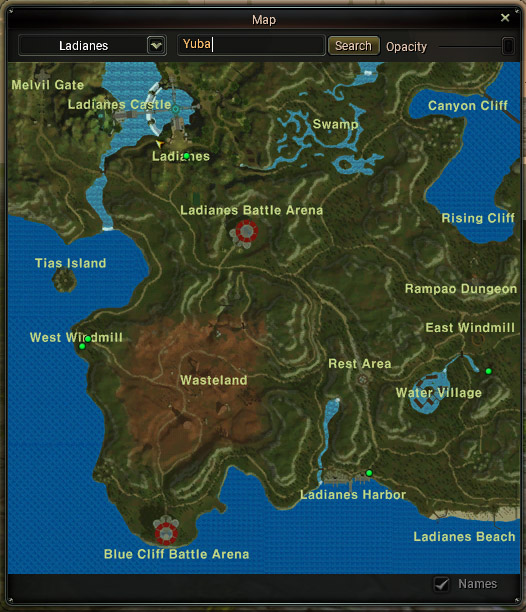
The world map is an essential part of the game, it can help you find specific areas that you might be interested in visiting and even specific NPCs!
- To use the World Map NPC search function, simply open the World Map (press M).
- Click the box with the words NPC Search inside.

- Type the name of the NPC you are looking for, and press search, a green circle will appear in the locations that the NPC can be found.
Mini-Map
The Mini-Map will provide you with a birds eye view of your current location in the game and can be toggled using the Ctrl+M keys on your keyboard.
You're able to get an idea of your surroundings in the form of small squares, using the Mini-Map, that represent different elements in the game such as:
- Monsters: They will appear as small squares with the same color as the monsters name (gray, blue, yellow, purple, orange, red).
- NPCs: Non-Player Characters appear as white squares.
- Players: Other players appear as yellow squares.
- Party Members: Members of your party appear as green squares.
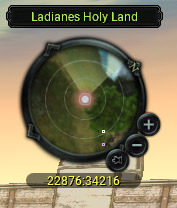
Tip: The Mini-Map can also be moved freely around the screen by holding left click and dragging the minimap where the location text is.